rss
mark.ie: My LocalGov Drupal contributions for January 2026
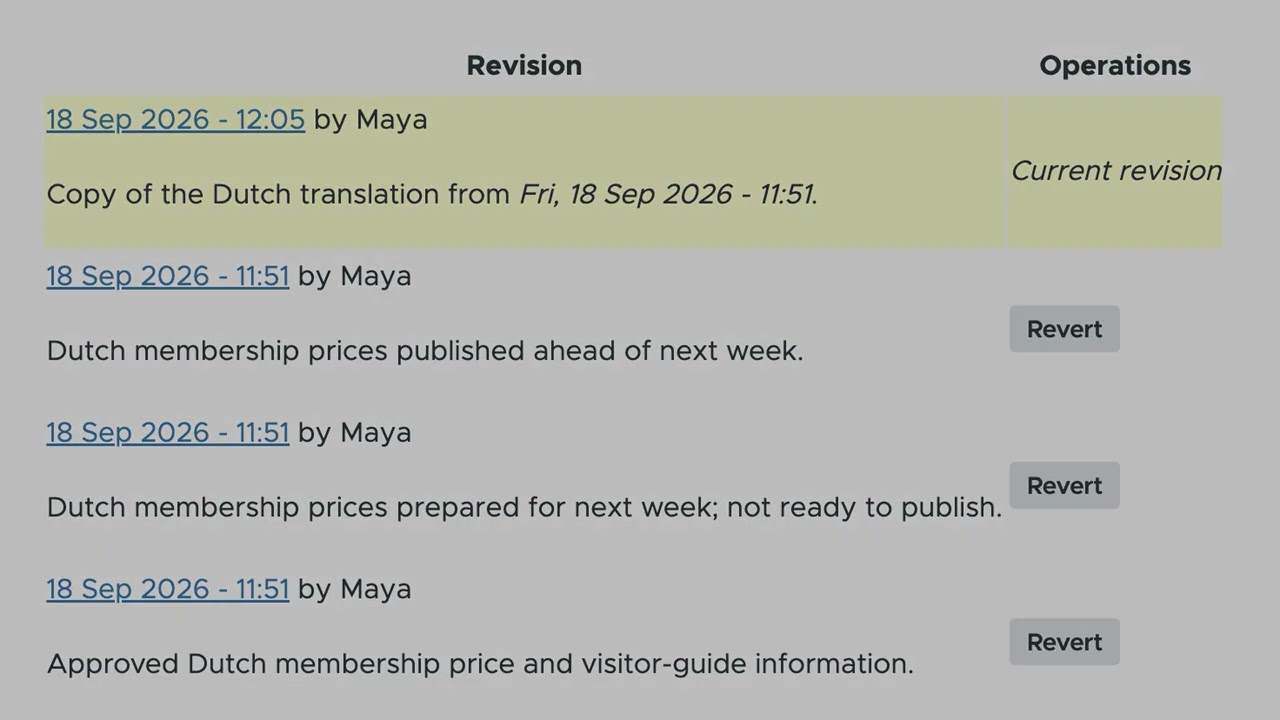
We're still being clobbered by the migration of projects from GitHub to Drupal.org, making work a lot slower as we try to work and keep track of issues/tasks in two places.
On the 27th of January 70+ developers, designers, UX, project leads joined forces in nine teams to attend the European Commission hackathon called Play to impact at The One building in the heart of the European Commission's executive arm in Brussels.
Article by Marcus Johansson.
The two tasks for the teams were clear - build something that helps the content editor using AI or build something that helps reimagine how websites are created in Canvas.
While the tasks were mainly around the development of new features and modules, other actual criteria were scored, including a final powerpoint presentation in front of everyone. This meant that a multidisciplinary team was needed to have the chance to win.
One of the other criterias was that you had to use Mistral AI for your solution. Mistral, being the powerhouse of European AI innovation in large language models, was sponsors of the event. Mistral is one of the key companies to digital sovereign AI solutions in Europe.
They were both helping to make sure that all the teams had enough credits to develop and show off their impressive solutions using likewise impressive models, but also being able to support on site and helping in jury duty when selecting the winners.
amazee.ai and DrupalForge/Devpanel was also sponsoring the event, making sure that the provider setup was smooth for the teams and that the teams were given platforms where they could deploy their solutions for the jury to test.
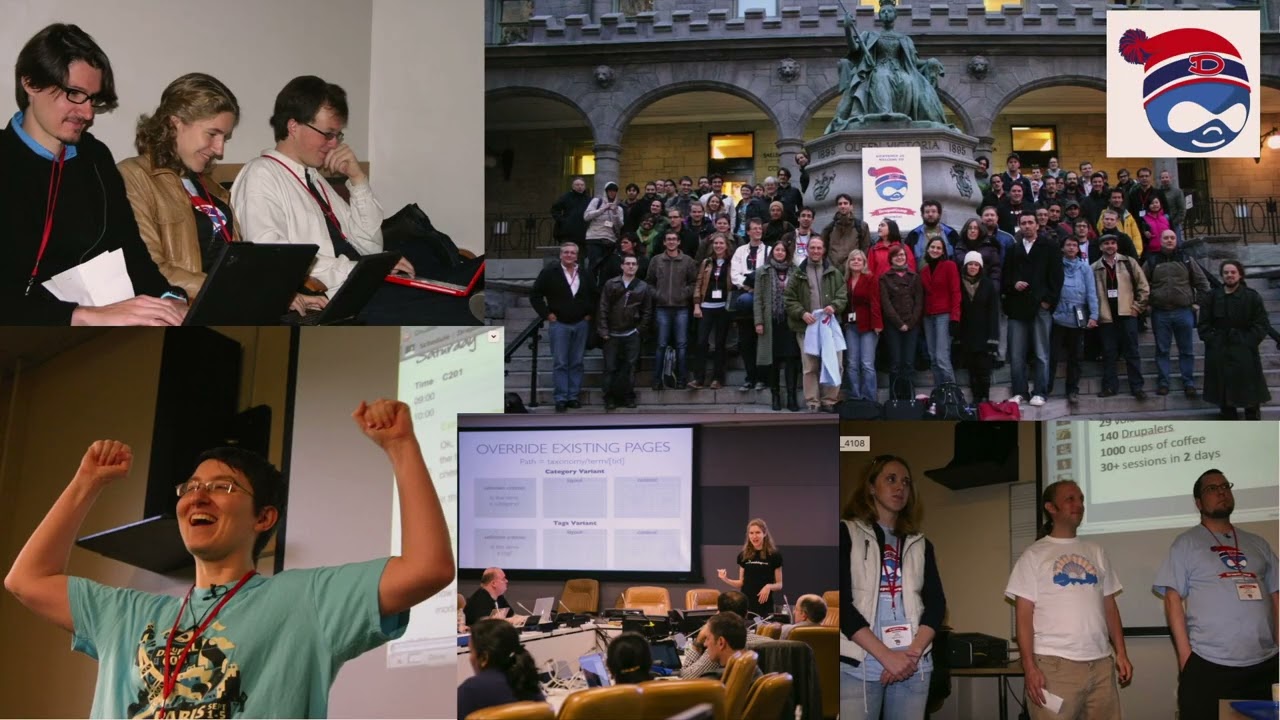
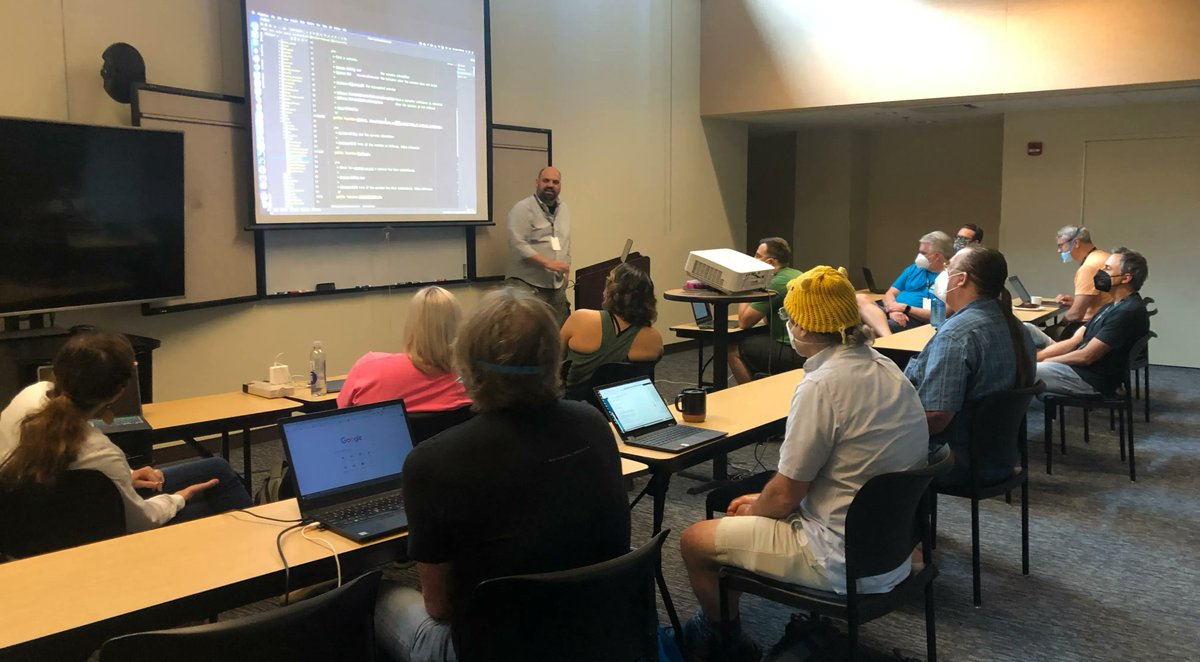
The teams full at work
The event was the second time the commission had a hackathon specifically around Drupal and AI and this time it was a two day event, meaning people had much more time to prepare, plan, code and present the solutions.
This time there were also prep events where you could ask actual stakeholders, like editors of platforms, what their main problems they were facing.
As one of the core maintainers of the AI module, seeing the amount of people using something you helped create, was a feeling of pride, joy and satisfaction. And as someone that was on site to help technically for the second year around, two things stood out to me:
Group photo of most of the participants and organizers. Photo credit: Antonio De Marco.
On the second day all the teams had to stop at the deadline of 14:40 and have their presentation ready, code committed and Drupal instances set up.
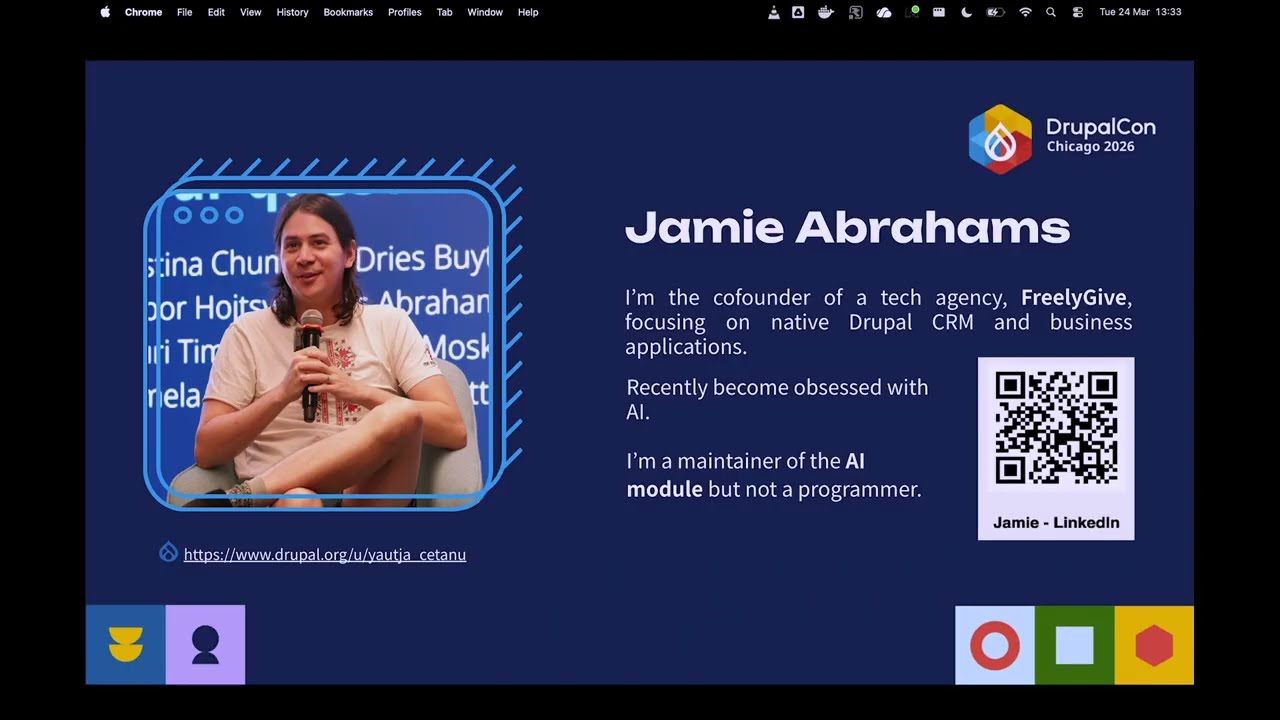
After that started the presentation round, where each of the teams had exactly five minutes to present their solutions to the jury and answer questions from the jury. The jury consisted of people from the European Commission, one person representing Mistral, Tim Lehnen from the Drupal Association and Jamie Abrahams from the AI Initiative.
Bram ten Hove and Ronald te Brake presenting their ACE! Solution.
The winners in the end was team #4 aptly named Token Burners, that ended up making a solution that did not just spawn one actual contributed module, but two! They also had an very impressive presentation.
We now have the FlowDrop Agents that puts the AI Agents we have had in Drupal into the awesome Workflow management system FlowDrop and also the FlowDrop Node Sessions, which makes sure to support workflows to be initialized via a Drupal entity.
The winning team Token Burners and the hackathon jury.
From my point of view the hackathon was a huge success - the energy in the room, the collaboration, the brainstorming was just impressive.
A huge thanks to the organizers Sabina La Felice, Monika Vladimirova, Raquel Fialho, Antonio De Marco and Rosa. Ordinana-Calabuig and the European Commission in general for such a great event!
On the 27th of January 70+ developers, designers, UX, project leads joined forces in nine teams to attend the European Commission hackathon called Play to impact at The One building in the heart of the European Commission's executive arm in Brussels.
Article by Marcus Johansson.
The two tasks for the teams were clear - build something that helps the content editor using AI or build something that helps reimagine how websites are created in Canvas.
While the tasks were mainly around the development of new features and modules, other actual criteria were scored, including a final powerpoint presentation in front of everyone. This meant that a multidisciplinary team was needed to have the chance to win.
One of the other criterias was that you had to use Mistral AI for your solution. Mistral, being the powerhouse of European AI innovation in large language models, was sponsors of the event. Mistral is one of the key companies to digital sovereign AI solutions in Europe.
They were both helping to make sure that all the teams had enough credits to develop and show off their impressive solutions using likewise impressive models, but also being able to support on site and helping in jury duty when selecting the winners.
amazee.ai and DrupalForge/Devpanel was also sponsoring the event, making sure that the provider setup was smooth for the teams and that the teams were given platforms where they could deploy their solutions for the jury to test.
The teams full at work
The event was the second time the commission had a hackathon specifically around Drupal and AI and this time it was a two day event, meaning people had much more time to prepare, plan, code and present the solutions.
This time there were also prep events where you could ask actual stakeholders, like editors of platforms, what their main problems they were facing.
As one of the core maintainers of the AI module, seeing the amount of people using something you helped create, was a feeling of pride, joy and satisfaction. And as someone that was on site to help technically for the second year around, two things stood out to me:
Group photo of most of the participants and organizers. Photo credit: Antonio De Marco.
On the second day all the teams had to stop at the deadline of 14:40 and have their presentation ready, code committed and Drupal instances set up.
After that started the presentation round, where each of the teams had exactly five minutes to present their solutions to the jury and answer questions from the jury. The jury consisted of people from the European Commission, one person representing Mistral, Tim Lehnen from the Drupal Association and Jamie Abrahams from the AI Initiative.
Bram ten Hove and Ronald te Brake presenting their ACE! Solution.
The winners in the end was team #4 aptly named Token Burners, that ended up making a solution that did not just spawn one actual contributed module, but two! They also had an very impressive presentation.
We now have the FlowDrop Agents that puts the AI Agents we have had in Drupal into the awesome Workflow management system FlowDrop and also the FlowDrop Node Sessions, which makes sure to support workflows to be initialized via a Drupal entity.
The winning team Token Burners and the hackathon jury.
From my point of view the hackathon was a huge success - the energy in the room, the collaboration, the brainstorming was just impressive.
A huge thanks to the organizers Sabina La Felice, Monika Vladimirova, Raquel Fialho, Antonio De Marco and Rosa. Ordinana-Calabuig and the European Commission in general for such a great event!
AI document processing is transforming content management in Drupal. Through integration with AI Automators, Unstructured.io, and GPT models, editorial teams can automate tedious tasks like metadata extraction, taxonomy matching, and summary generation. This case study reveals how BetterRegulation implemented AI document processing in their Drupal 11 platform, achieving 95%+ accuracy and 50% editorial time savings.
read moreAI makes it cheaper to contribute to Open Source, but it's not making life easier for maintainers. More contributions are flowing in, but the burden of evaluating them still falls on the same small group of people. That asymmetric pressure risks breaking maintainers.
Daniel Stenberg, who maintains curl, just ended the curl project's bug bounty program. The program had worked well for years. But in 2025, fewer than one in twenty submissions turned out to be real bugs.
In a post called "Death by a thousand slops", Stenberg described the toll on curl's seven-person security team: each report engaged three to four people, sometimes for hours, only to find nothing real. He wrote about the "emotional toll" of "mind-numbing stupidities".
Stenberg's response was pragmatic. He didn't ban AI. He ended the bug bounty. That alone removed most of the incentive to flood the project with low-quality reports.
Drupal doesn't have a bug bounty, but it still has incentives: contribution credit, reputation, and visibility all matter. Those incentives can attract low-quality contributions too, and the cost of sorting them out often lands on maintainers.
We've seen some AI slop in Drupal, though not at the scale curl experienced. But our maintainers are stretched thin, and they see what is happening to other projects.
Some have deep concerns about AI itself: its environmental cost, its impact on their craft, and the unresolved legal and ethical questions around how it was trained. Others worry about security vulnerabilities slipping through. And for some, it's simply demoralizing to watch something they built with care become a target for high-volume, low-quality contributions.
These concerns are legitimate, and they deserve to be heard. Some of them, like AI's environmental cost or its relationship to Open Web values, also deserve deeper discussion than I can give them here.
That tension shows up in conversations about AI in Drupal Core. People hesitate around AGENTS.md files and adaptable modules because they worry about inviting more contributions without adding more capacity to evaluate them.
This is the AI-induced asymmetric pressure showing up in our community. I understand the hesitation. Some feel they've already seen enough low-quality AI contributions to know where this leads. When we get this wrong, maintainers are the ones who pay. They've earned the right to be skeptical.
I feel caught between two truths.
On one side, maintainers hold everything together. If they burn out or leave, Drupal is in serious trouble. We can't ask them to absorb more work without first creating relief.
On the other side, the people who depend on Drupal are watching other platforms accelerate. If we move too slowly, they'll look elsewhere.
Both are true. Protecting maintainers and accelerating innovation shouldn't be opposites, but right now they feel that way. As Drupal's project lead, my job is to help us find a path that honors both.
I should be honest about where I stand. I've been writing software with AI tools for over a year now. I've had real successes. I've also watched some of the most experienced Drupal contributors become dramatically more productive with AI, doing things they could not have done without it. That perspective comes from direct experience, not hype.
But having a perspective is not the same as having all the answers. And leadership doesn't mean dragging people where they don't want to go. It means pointing a direction with care, staying open to evidence, and never abandoning the people who hold the project together.
New technology has a way of lowering barriers, and lower barriers always come with tradeoffs. I saw this early in my career. I was writing low-level C for embedded systems by day, and after work I'd come home and work on websites with Drupal and PHP. It was thrilling, and a stark contrast to my day job. You could build in an evening what took days in C.
I remember that excitement. The early web coming alive. I hadn't felt the same excitement in 25 years, until AI.
PHP brought in hobbyists and self-taught developers, people learning as they went. Many of them built careers here. But it also meant that a lot of early PHP code had serious security problems. The language got blamed, and many experts dismissed it entirely. Some still do.
The answer wasn't rejecting PHP for enabling low-quality code. The answer was frameworks, better security practices, and shared standards.
AI is a different technology, but I see the same patterns. It lowers barriers and will bring in new contributors who aren't experts yet. And like scripting languages, AI is here to stay. The question isn't whether AI is coming to Open Source. It's how we make it work.
The curl story doesn't end there. In October 2025, a researcher named Joshua Rogers used AI-powered code analysis tools to submit hundreds of potential issues. Stenberg was "amazed by the quality and insights". He and a fellow maintainer merged about 50 fixes from the initial batch alone.
Earlier this week, a security startup called AISLE announced they had used AI to find 12 zero-days in the latest OpenSSL security release. OpenSSL is one of the most scrutinized codebases on the planet. It encrypts most of the internet. Some of the bugs AISLE found had been hiding for over 25 years. They also reported over 30 valid security issues to curl.
The difference between this and the slop flooding Stenberg's inbox wasn't the use of AI. It was expertise and intent. Rogers and AISLE used AI to amplify deep knowledge. The low-quality reports used AI to replace expertise that wasn't there, chasing volume instead of insight.
AI created new burden for maintainers. But used well, it may also be part of the relief.
I reached out to Daniel Stenberg this week to compare notes. He's navigating the same tensions inside the curl project, with maintainers who are skeptical, if not outright negative, toward AI.
His approach is simple. Rather than pushing tools on his team, he tests them on himself. He uses AI review tools on his own pull requests to understand their strengths and limits, and to show where they actually help. The goal is to find useful applications without forcing anyone else to adopt them.
The curl team does use AI-powered analyzers today because, as Stenberg puts it, "they have proven to find things no other analyzers do". The tools earned their place.
That is a model I'd like us to try in Drupal. Experiments should stay with willing contributors, and the burden of proof should remain with the experimenters. Nothing should become a new expectation for maintainers until it has demonstrated real, repeatable value.
That does not mean we should wait. If we want evidence instead of opinions, we have to create it. Contributors should experiment on their own work first. When something helps, show it. When something doesn't, share that too. We need honest results, not just positive ones. Maintainers don't have to adopt anything, but when someone shows up with real results, it's worth a look.
Not all low-quality contributions come from bad faith. Many contributors are learning, experimenting, and trying to help. They want what is best for Drupal. A welcoming environment means building the guidelines and culture to help them succeed, with or without AI, not making them afraid to try.
I believe AI tools are part of how we create relief. I also know that is a hard sell to someone already stretched thin, or dealing with AI slop, or wrestling with what AI means for their craft. The people we most want to help are often the most skeptical, and they have good reason to be.
I'm going to do my part. I'll seek out contributors who are experimenting with AI tools and share what they're learning, what works, what doesn't, and what surprises them. I'll try some of these tools myself before asking anyone else to. And I'll keep writing about what I find, including the failures.
If you're experimenting with AI tools, I'd love to hear about it. I've opened an issue on Drupal.org to collect real-world experiences from contributors. Share what you're learning in the issue, or write about it on your own blog and link it there. I'll report back on what we learn on my blog or at DrupalCon.
This isn't just Drupal's challenge. Every large Open Source project is navigating the same tension between enthusiasm for AI and real concern about its impact.
But wherever this goes, one principle should guide us: protect your maintainers. They're a rare asset, hard to replace and easy to lose. Any path forward that burns them out isn't a path forward at all.
I believe Drupal will be stronger with AI tools, not weaker. I believe we can reduce maintainer burden rather than add to it. But getting there will take experimentation, honest results, and collaboration. That is the direction I want to point us in. Let's keep an open mind and let evidence and adoption speak for themselves.
Thanks to phenaproxima, Tim Lehnen, Gábor Hojtsy, Scott Falconer, Théodore Biadala, Jürgen Haas and Alex Bronstein for reviewing my draft.
read moreLessons for building a digital repository of archival material, stories, or user-generated knowledge.
Digital archives play an increasingly important role in preserving cultural knowledge, personal histories, and community memory. But not all archives are created equal. Beyond simply storing information, the most effective digital archives are designed to be welcoming, respectful, and alive — spaces that invite exploration while honouring the people and knowledge they represent.
At Evolving Web, we recently collaborated with the University of Denver on the Our Stories, Our Medicine Archive (OSOMA), a community-owned digital archive that centres traditional Indigenous knowledge related to health, wellness, culture, and identity. Built in close collaboration with community partners, OSOMA offers a powerful example of how digital repositories can move beyond institutional models toward something more participatory and human.
If you’re working on a digital archive — whether it’s focused on cultural heritage, community storytelling, or user-generated knowledge — here are some key lessons from OSOMA that can help guide your approach.
A strong digital archive doesn’t assume users know exactly what they’re looking for. Instead, it supports exploration and discovery.
On OSOMA, visitors can browse content by broad themes such as Plants, Food, Ceremony, Identity, and Land. From there, they can narrow their focus using more specific filters, for example, exploring knowledge connected to particular healing practices or types of medicine.
This structure allows users to move easily between big ideas and specific stories. Someone might begin by browsing “Plant Medicine” and then discover individual narratives, videos, or related knowledge shared by community members. The archive encourages curiosity rather than forcing users into rigid pathways.
By organizing content around themes that reflect Indigenous worldviews, rather than academic or institutional categories. OSOMA makes it easier for users to find meaning, not just information.
Plain language plays an important role in making digital archives accessible, but it also shapes how users feel when they engage with the content.
Across OSOMA, headlines, descriptions, and navigation labels are written in clear, approachable language. The content doesn’t feel instructional or authoritative, and it avoids positioning itself as a definitive source of medical advice. Instead, it presents stories, experiences, and teachings in a way that feels open-ended and respectful.
This tone is especially important for an archive focused on health and wellness. By avoiding prescriptive language, OSOMA creates space for users to learn without pressure, and reinforces that the knowledge being shared belongs to the community, not the platform.
OSOMA includes rich media such as videos and interviews, and the way users access that content is intentional.
For example, users can watch videos directly from search and results pages, without needing to click through multiple screens. This makes it easier to sample content, follow related threads, and continue exploring without losing context.
These small experience details matter. They reduce friction and make the archive feel responsive and intuitive, especially for users who may be less comfortable navigating complex digital interfaces.
Many digital archives unintentionally feel institutional, even when they contain deeply personal material. OSOMA takes a different approach by placing individual voices front and centre.
Each community member has a dedicated profile page that brings together their stories, interviews, and related knowledge items. These profiles help users understand who is sharing the knowledge, where it comes from, and how it connects to lived experience.
Stories aren’t treated as supplementary content, they are the foundation of the archive. This storytelling-first approach reflects Indigenous knowledge traditions, where stories are a primary way of sharing history, values, and healing practices. The result is an archive that feels human and relational, rather than abstract or academic.
OSOMA was designed as a living, community-owned archive, and that intention is visible throughout the site.
Links and prompts to contribute are displayed prominently, making it clear that community members are invited to share their own stories and knowledge. Even visitors who never log in or submit content can immediately sense that OSOMA is shaped by ongoing participation.
Behind the scenes, the platform supports this model by allowing Indigenous users to log in, contribute content, and access protected cultural knowledge. Using Drupal’s Group functionality, the site ensures that sensitive information remains visible only to appropriate community members.
Participation isn’t treated as an add-on but rather it’s built into the structure of the archive itself.
Strong visual design helps establish trust, especially when an archive contains many voices and content types.
OSOMA uses photography and video of people, land, and cultural assets to ground the experience in real places and lived relationships. Circular image frames and a consistent colour palette draw from OSOMA’s visual identity and help tie together diverse content.
These design choices do important work quietly. They lend confidence to the stories being shared and ensure the site feels cohesive, even as new contributions are added over time. Rather than competing with the content, the design supports it, creating space for stories to speak for themselves.
OSOMA was built to be welcoming to a wide range of users, including Elders, youth, and non-specialist visitors.
The site meets WCAG AA accessibility standards, with clear layouts, strong colour contrast, and plain-language content. Navigation and browsing tools were designed to be intuitive, so users can explore without needing technical expertise.
Accessibility here isn’t treated as a compliance exercise. It’s part of a broader commitment to inclusion, respect, and ease of use: values that align closely with OSOMA’s community-led goals.
OSOMA demonstrates that digital archives don’t have to replicate colonial or extractive models of knowledge storage. With the right approach, they can become spaces of connection, care, and continuity.
By prioritizing discoverability, plain language, personal storytelling, participation, strong design, and accessibility, OSOMA offers a powerful example of what’s possible when technology is shaped by community values.
If you’re thinking about building a digital archive or knowledge platform, this project is a reminder to look beyond the technical requirements and ask deeper questions about ownership, voice, and experience.
Get in touch to talk about building digital platforms that are inclusive, future-friendly, and people-first.
Learn more about the OSOMA project by reading the case study.
+ more awesome articles by Evolving Web read moreToday we released Drupal CMS 2.0. I've been looking forward to this release for a long time!
If Drupal is 25 years old, why only version 2.0? Because Drupal Core is the same powerful platform you've known for years, now at version 11. Drupal CMS is a product built on top of it, packaging best-practice solutions and extra features to help you get started faster. It was launched a year ago as part of Drupal Starshot.
Why build this layer at all? Because the criticism has been fair: Drupal is powerful but not easy. For years, features like easier content editing and better page building have topped the wishlist.
Drupal CMS is changing Drupal's story from powerful but hard to powerful and easy to use.
With Drupal CMS 2.0, we're taking another big step forward. You no longer begin with a blank slate. You can begin with site templates designed for common use cases, then shape them to fit your needs. You get a visual page builder, preconfigured content types, and a smoother editing experience out of the box. We also added more AI-powered features to help draft and refine content.
The biggest new feature in this release is Drupal Canvas, our new visual page builder that now ships by default with Drupal CMS 2.0. You can drag components onto a page, edit in place, and undo changes. No jumping between forms and preview screens.
WordPress and Webflow have shown how powerful visual editing can be. Drupal Canvas brings that same ease to Drupal with more power while keeping its strengths: custom content types, component-based layouts, granular permissions, and much more.
But Drupal Canvas is only part of the story. What matters more is how these pieces are starting to fit together, in line with the direction we set out more than a year ago: site templates to start from, a visual builder to shape pages, better defaults across the board, and AI features that help you get work done faster. It's the result of a lot of hard work by many people across the Drupal community.
If you tried Drupal years ago and found it too complex, I'd love for you to give it another look. Building a small site with a few landing pages, a campaign section, and a contact form used to take a lot of setup. With Drupal CMS 2.0, you can get something real up and running much faster than before.
For 25 years, Drupal traded ease for power and flexibility. That is finally starting to change, while keeping the power and flexibility that made Drupal what it is. Thank you to everyone who has been pushing this forward.
read moreJanuary 28, 2026 – Today marks one of the biggest evolutions in Drupal's 25-year history.
Drupal CMS 2.0 launches with Drupal Canvas, AI-powered tools, and introduces a component system along with the first site template that enables marketing teams to launch fully branded, professional websites in days instead of weeks. Built on Drupal core, it maintains the enterprise-grade security, scalability, and flexibility Drupal is known for.
Try it now → drupal.org/drupal-cms
Drupal CMS 2.0 is built on top of Drupal Core 11.3, which is the biggest performance improvement in a decade, allowing you to serve 26-33% more requests with the same setup.
We are introducing Drupal Canvas as the default editing experience. Drag components onto pages with live preview and real-time editing. No more switching between admin forms and preview windows for your landing pages – build directly on the page. No Drupal knowledge required to get started.
The custom built Mercury component library provides common building blocks like cards, testimonials, heroes, menus and accordions.
We are introducing site templates that provide feature-complete starting points for specific use cases. Byte is the first template included with Drupal CMS 2.0. It is preconfigured as a marketing site for a SaaS-based product, with blog, newsletter signup, pricing pages, and a contact form, with an elegant dark design. All built with Canvas. Installs in under 3 minutes.
Recipe-based integrations automate complex configurations:
AI tools (optional):
Plus all of these proven goodies from Drupal CMS 1 (January 2025):
Drupal CMS 2.0 would not have been possible without the innovations in Drupal core and the visual tools and components built specifically for this release. Thanks to the hundreds of contributors across dozens of organizations. Special thanks to the AI initiative partners, and everyone who tested, filed issues, and pushed boundaries outward.
This is community-driven development at scale.
Try it now: drupal.org/drupal-cms/trial
Download: drupal.org/download
Learn more: drupal.org/drupal-cms
Twenty-five years in. Still building.
Drupal CMS builds on Drupal Core with full ecosystem compatibility, adding visual building tools, AI assistance, and industry-specific templates. Learn more →
January 28, 2026 – Today marks one of the biggest evolutions in Drupal's 25-year history.
Drupal CMS 2.0 launches with Drupal Canvas, AI-powered tools, and introduces a component system along with the first site template that enables marketing teams to launch fully branded, professional websites in days instead of weeks. Built on Drupal core, it maintains the enterprise-grade security, scalability, and flexibility Drupal is known for.
Try it now → drupal.org/drupal-cms
Drupal CMS 2.0 is built on top of Drupal Core 11.3, which is the biggest performance improvement in a decade, allowing you to serve 26-33% more requests with the same setup.
We are introducing Drupal Canvas as the default editing experience. Drag components onto pages with live preview and real-time editing. No more switching between admin forms and preview windows for your landing pages – build directly on the page. No Drupal knowledge required to get started.
The custom built Mercury component library provides common building blocks like cards, testimonials, heroes, menus and accordions.
We are introducing site templates that provide feature-complete starting points for specific use cases. Byte is the first template included with Drupal CMS 2.0. It is preconfigured as a marketing site for a SaaS-based product, with blog, newsletter signup, pricing pages, and a contact form, with an elegant dark design. All built with Canvas. Installs in under 3 minutes.
Recipe-based integrations automate complex configurations:
AI tools (optional):
Plus all of these proven goodies from Drupal CMS 1 (January 2025):
Drupal CMS 2.0 would not have been possible without the innovations in Drupal core and the visual tools and components built specifically for this release. Thanks to the hundreds of contributors across dozens of organizations. Special thanks to the AI initiative partners, and everyone who tested, filed issues, and pushed boundaries outward.
This is community-driven development at scale.
Try it now: drupal.org/drupal-cms/trial
Download: drupal.org/download
Learn more: drupal.org/drupal-cms
Twenty-five years in. Still building.
Drupal CMS builds on Drupal Core with full ecosystem compatibility, adding visual building tools, AI assistance, and industry-specific templates. Learn more →
January 28, 2026 – Today marks one of the biggest evolutions in Drupal's 25-year history.
Drupal CMS 2.0 launches with Drupal Canvas, AI-powered tools, and introduces a component system along with the first site template that enables marketing teams to launch fully branded, professional websites in days instead of weeks. Built on Drupal core, it maintains the enterprise-grade security, scalability, and flexibility Drupal is known for.
Try it now → drupal.org/drupal-cms
Drupal CMS 2.0 is built on top of Drupal Core 11.3, which is the biggest performance improvement in a decade, allowing you to serve 26-33% more requests with the same setup.
We are introducing Drupal Canvas as the default editing experience. Drag components onto pages with live preview and real-time editing. No more switching between admin forms and preview windows for your landing pages – build directly on the page. No Drupal knowledge required to get started.
The custom built Mercury component library provides common building blocks like cards, testimonials, heroes, menus and accordions.
We are introducing site templates that provide feature-complete starting points for specific use cases. Byte is the first template included with Drupal CMS 2.0. It is preconfigured as a marketing site for a SaaS-based product, with blog, newsletter signup, pricing pages, and a contact form, with an elegant dark design. All built with Canvas. Installs in under 3 minutes.
Recipe-based integrations automate complex configurations:
AI tools (optional):
Plus all of these proven goodies from Drupal CMS 1 (January 2025):
Drupal CMS 2.0 would not have been possible without the innovations in Drupal core and the visual tools and components built specifically for this release. Thanks to the hundreds of contributors across dozens of organizations. Special thanks to the AI initiative partners, and everyone who tested, filed issues, and pushed boundaries outward.
This is community-driven development at scale.
Try it now: drupal.org/drupal-cms/trial
Download: drupal.org/download
Learn more: drupal.org/drupal-cms
Twenty-five years in. Still building.
Drupal CMS builds on Drupal Core with full ecosystem compatibility, adding visual building tools, AI assistance, and industry-specific templates. Learn more →
January 28, 2026 – Today marks one of the biggest evolutions in Drupal's 25-year history.
Drupal CMS 2.0 launches with Drupal Canvas, AI-powered tools, and introduces a component system along with the first site template that enables marketing teams to launch fully branded, professional websites in days instead of weeks. Built on Drupal core, it maintains the enterprise-grade security, scalability, and flexibility Drupal is known for.
Try it now → drupal.org/drupal-cms
Drupal CMS 2.0 is built on top of Drupal Core 11.3, which is the biggest performance improvement in a decade, allowing you to serve 26-33% more requests with the same setup.
We are introducing Drupal Canvas as the default editing experience. Drag components onto pages with live preview and real-time editing. No more switching between admin forms and preview windows for your landing pages – build directly on the page. No Drupal knowledge required to get started.
The custom built Mercury component library provides common building blocks like cards, testimonials, heroes, menus and accordions.
We are introducing site templates that provide feature-complete starting points for specific use cases. Byte is the first template included with Drupal CMS 2.0. It is preconfigured as a marketing site for a SaaS-based product, with blog, newsletter signup, pricing pages, and a contact form, with an elegant dark design. All built with Canvas. Installs in under 3 minutes.
Recipe-based integrations automate complex configurations:
AI tools (optional):
Plus all of these proven goodies from Drupal CMS 1 (January 2025):
Drupal CMS 2.0 would not have been possible without the innovations in Drupal core and the visual tools and components built specifically for this release. Thanks to the hundreds of contributors across dozens of organizations. Special thanks to the AI initiative partners, and everyone who tested, filed issues, and pushed boundaries outward.
This is community-driven development at scale.
Try it now: drupal.org/drupal-cms/trial
Download: drupal.org/download
Learn more: drupal.org/drupal-cms
Twenty-five years in. Still building.
Drupal CMS builds on Drupal Core with full ecosystem compatibility, adding visual building tools, AI assistance, and industry-specific templates. Learn more →
January 28, 2026 – Today marks one of the biggest evolutions in Drupal's 25-year history.
Drupal CMS 2.0 launches with Drupal Canvas, AI-powered tools, and introduces a component system along with the first site template that enables marketing teams to launch fully branded, professional websites in days instead of weeks. Built on Drupal core, it maintains the enterprise-grade security, scalability, and flexibility Drupal is known for.
Try it now → drupal.org/drupal-cms
Drupal CMS 2.0 is built on top of Drupal Core 11.3, which is the biggest performance improvement in a decade, allowing you to serve 26-33% more requests with the same setup.
We are introducing Drupal Canvas as the default editing experience. Drag components onto pages with live preview and real-time editing. No more switching between admin forms and preview windows for your landing pages – build directly on the page. No Drupal knowledge required to get started.
The custom built Mercury component library provides common building blocks like cards, testimonials, heroes, menus and accordions.
We are introducing site templates that provide feature-complete starting points for specific use cases. Byte is the first template included with Drupal CMS 2.0. It is preconfigured as a marketing site for a SaaS-based product, with blog, newsletter signup, pricing pages, and a contact form, with an elegant dark design. All built with Canvas. Installs in under 3 minutes.
Recipe-based integrations automate complex configurations:
AI tools (optional):
Plus all of these proven goodies from Drupal CMS 1 (January 2025):
Drupal CMS 2.0 would not have been possible without the innovations in Drupal core and the visual tools and components built specifically for this release. Thanks to the hundreds of contributors across dozens of organizations. Special thanks to the AI initiative partners, and everyone who tested, filed issues, and pushed boundaries outward.
This is community-driven development at scale.
Try it now: drupal.org/drupal-cms/trial
Download: drupal.org/download
Learn more: drupal.org/drupal-cms
Twenty-five years in. Still building.
Drupal CMS builds on Drupal Core with full ecosystem compatibility, adding visual building tools, AI assistance, and industry-specific templates. Learn more →
January 28, 2026 – Today marks one of the biggest evolutions in Drupal's 25-year history.
Drupal CMS 2.0 launches with Drupal Canvas, AI-powered tools, and introduces a component system along with the first site template that enables marketing teams to launch fully branded, professional websites in days instead of weeks. Built on Drupal core, it maintains the enterprise-grade security, scalability, and flexibility Drupal is known for.
Try it now → drupal.org/drupal-cms
Drupal CMS 2.0 is built on top of Drupal Core 11.3, which is the biggest performance improvement in a decade, allowing you to serve 26-33% more requests with the same setup.
We are introducing Drupal Canvas as the default editing experience. Drag components onto pages with live preview and real-time editing. No more switching between admin forms and preview windows for your landing pages – build directly on the page. No Drupal knowledge required to get started.
The custom built Mercury component library provides common building blocks like cards, testimonials, heroes, menus and accordions.
We are introducing site templates that provide feature-complete starting points for specific use cases. Byte is the first template included with Drupal CMS 2.0. It is preconfigured as a marketing site for a SaaS-based product, with blog, newsletter signup, pricing pages, and a contact form, with an elegant dark design. All built with Canvas. Installs in under 3 minutes.
Recipe-based integrations automate complex configurations:
AI tools (optional):
Plus all of these proven goodies from Drupal CMS 1 (January 2025):
Drupal CMS 2.0 would not have been possible without the innovations in Drupal core and the visual tools and components built specifically for this release. Thanks to the hundreds of contributors across dozens of organizations. Special thanks to the AI initiative partners, and everyone who tested, filed issues, and pushed boundaries outward.
This is community-driven development at scale.
Try it now: drupal.org/drupal-cms/trial
Download: drupal.org/download
Learn more: drupal.org/drupal-cms
Twenty-five years in. Still building.
Drupal CMS builds on Drupal Core with full ecosystem compatibility, adding visual building tools, AI assistance, and industry-specific templates. Learn more →
Setting up a local Drupal development environment requires tools that handle web servers, databases, and PHP configuration. DDEV provides a Docker-based solution that simplifies this process while maintaining flexibility for different project requirements.
In the video above, you'll learn how to install and configure DDEV, create a new Drupal project, use essential commands for daily development, import and export databases, set up debugging with Xdebug, and extend DDEV with add-ons and custom commands.
read moreEurope’s push for digital sovereignty is gaining momentum, but much of the conversation remains superficial. Drawing on the recent analysis by Dries Buytaert, founder of Drupal, the real issue is not whether governments use European or non-European vendors—it’s whether they retain meaningful control over the software that underpins public services. Dependency, not geography, is the risk. Several public institutions are beginning to act on this insight, but the structural implications remain largely unaddressed.
Dries' argument reframes open source from a technical preference into a governance imperative. Open source offers auditability, portability, and independence that proprietary systems cannot. Yet, while Europe’s public sector heavily relies on open source, it consistently fails to invest in its foundations. Procurement practices continue to channel funding toward large integrators and resellers, leaving the maintainers who secure and evolve the software underfunded and overstretched.
The result is a stark mismatch between policy ambitions and spending realities. Governments pay for delivery and compliance but neglect the upstream work that ensures long-term security, resilience, and innovation. As Buytaert makes clear, digital sovereignty won’t be achieved through strategy papers alone. It demands procurement policies that treat open-source contributions as a core public value—not an optional extra.
With that, let's move on to the important stories from the past week.
We acknowledge that there are more stories to share. However, due to selection constraints, we must pause further exploration for now. To get timely updates, follow us on LinkedIn , Twitter , Bluesky , and Facebook . You can also join us on Drupal Slack at #thedroptimes .
Thank you.
Alka Elizabeth
Sub-editor
The DropTimes
In the Dropsolid diaries series, I talk in-depth about the journey of Dropsolid company that has Drupal at its core. It contains Drupal insights, company insights, personal experiences, DXP and CMS market insights, and many other learnings I learned as the founder of Dropsolid & Dropsolid AI.
As we mentioned in our last blog post GitLab issue migration: immediate changes, we will continue to migrate more and more projects.
We gathered a list of projects where their maintainers agreed to help us test the migration process at #3409678: Opt-in GitLab issues. What does it mean if your project is being migrated or if you are collaborating in one of those migrated projects?
If your project has been migrated to GitLab, you will now manage all your issues via GitLab issue listing and/or issue boards. As maintainers, you will be able to set up issue boards to follow the workflow that makes the most sense for your project. Some projects might just have "Open" and "Closed" columns (default setup), some projects might want to add a "RTBC" column based on the existing "state::rtbc" label, some projects might want to define more complex issue transitions. This is something similar to what we did on the transition to GitLab CI, where we provide defaults for all projects, but then each maintainer can configure their own ways of managing their issues.
As with other open source projects, only maintainers will be able to configure the issue boards, set labels for the issues or even change issue status. This is a big workflow change from what we have now, but it aligns with how many other projects are managed.
All labels (tags, version, priority, etc) are now project-specific, giving maintainers full freedom to choose the ones that make the most sense for their projects.
Whilst using GitLab issues brings us closer to workflows in other communities, our forking model remains the same as it was until now, which is collaborative by default. We believe that this is the easiest way to work together as a community.
This means that we will not have personal forks (we never have), and we will continue having shared forks (we always have). GitLab does not support this forking model out of the box, so we needed to implement this capability in the new system. As we did so, we used the opportunity to simplify the process compared to that of Drupal.org issues.
We will have a new place to create forks and request access, which will be a new tab available when viewing the contribution record for the issue. This new tab will read 100% of its information from GitLab via Ajax. You can do the same things as you can now on Drupal.org issues: create forks and request access. You can even do some of these things from the issue page (more about this below).
Actions like creating branches or merge requests will be just links to GitLab, as that's something that can already be done there.
We understand that the above includes a new step in the workflow, which we had before within the issue page. In order to make the workflow easier, we are adding automated messages to issues that will take you back and forth between the pages, that will inform about forks created, etc.
The contribution records system that we deployed a few months ago will not change, it will remain exactly the same as it is today. You will have links to go back and forth between the issues and their contribution record, the same way as you have right now with Drupal.org issues.
The roadmap remains unchanged, and still is (in each iteration, we will address feedback, fix bugs...):
As we mentioned in our last blog post GitLab issue migration: immediate changes, we will continue to migrate more and more projects.
We gathered a list of projects where their maintainers agreed to help us test the migration process at #3409678: Opt-in GitLab issues. What does it mean if your project is being migrated or if you are collaborating in one of those migrated projects?
If your project has been migrated to GitLab, you will now manage all your issues via GitLab issue listing and/or issue boards. As maintainers, you will be able to set up issue boards to follow the workflow that makes the most sense for your project. Some projects might just have "Open" and "Closed" columns (default setup), some projects might want to add a "RTBC" column based on the existing "state::rtbc" label, some projects might want to define more complex issue transitions. This is something similar to what we did on the transition to GitLab CI, where we provide defaults for all projects, but then each maintainer can configure their own ways of managing their issues.
As with other open source projects, only maintainers will be able to configure the issue boards, set labels for the issues or even change issue status. This is a big workflow change from what we have now, but it aligns with how many other projects are managed.
All labels (tags, version, priority, etc) are now project-specific, giving maintainers full freedom to choose the ones that make the most sense for their projects.
Whilst using GitLab issues brings us closer to workflows in other communities, our forking model remains the same as it was until now, which is collaborative by default. We believe that this is the easiest way to work together as a community.
This means that we will not have personal forks (we never have), and we will continue having shared forks (we always have). GitLab does not support this forking model out of the box, so we needed to implement this capability in the new system. As we did so, we used the opportunity to simplify the process compared to that of Drupal.org issues.
We will have a new place to create forks and request access, which will be a new tab available when viewing the contribution record for the issue. This new tab will read 100% of its information from GitLab via Ajax. You can do the same things as you can now on Drupal.org issues: create forks and request access. You can even do some of these things from the issue page (more about this below).
Actions like creating branches or merge requests will be just links to GitLab, as that's something that can already be done there.
We understand that the above includes a new step in the workflow, which we had before within the issue page. In order to make the workflow easier, we are adding automated messages to issues that will take you back and forth between the pages, that will inform about forks created, etc.
The contribution records system that we deployed a few months ago will not change, it will remain exactly the same as it is today. You will have links to go back and forth between the issues and their contribution record, the same way as you have right now with Drupal.org issues.
The roadmap remains unchanged, and still is (in each iteration, we will address feedback, fix bugs...):
When we think of robots, we often picture shiny machines whirring around in sci‑fi movies, or perhaps we think of something that is gradually becoming part of our reality. But not all robots are mechanical. In the world of SEO, search engine bots are tiny robots exploring your Drupal website, and with the right guidance, you can make sure they stick to the paths that matter.
read moreToday we are talking about Integrations into Drupal, Automation, and Drupal with Orchestration with guest Jürgen Haas. We'll also cover CRM as our module of the week.
For show notes visit: https://www.talkingDrupal.com/537
TopicsJürgen Haas - lakedrops.com jurgenhaas
HostsNic Laflin - nLighteneddevelopment.com nicxvan John Picozzi - epam.com johnpicozzi
MOTW CorrespondentMartin Anderson-Clutz - mandclu.com mandclu
Which hosting to select for Drupal? This is one of the most frequently asked questions among people starting their work with this CMS. In this article, I'll explain what to pay attention to when choosing Drupal hosting and provide a brief overview of available options – based on 15 years of experience implementing Drupal for clients from Poland and abroad. I invite you to read the post or watch the [ from the Nowoczesny Drupal series.
read moreAfter just a month of use I can see that my relationship with Claude Code is unhealthy. Like I mentioned when I tried Claude Code for a month, even when it was wasting my time I was having fun. Pretty big red flag.
On January 15, Drupal turned 25 years old. What began in 2001 as a simple open source experiment by founder Dries Buytaert in Antwerp is now one of the most powerful frameworks for complex digital platforms worldwide. Drupal has grown up. And with it, the requirements for digital products.
read moreThis note is mostly for my future self, in case I need to set this up again. I'm sharing it publicly because parts of it might be useful to others, though it's not a complete tutorial since it relies on a custom Drupal module I haven't released.
For context: I switched to Markdown and then open-sourced my blog content by exporting it to GitHub. Every day, my Drupal site exports its content as Markdown files and commits any changes to github.com/dbuytaert/website-content. New posts appear automatically, and so do edits and deletions.
Create a new GitHub repository. I called mine website-content.
For your server to push changes to GitHub automatically, you need SSH key authentication.
SSH into your server and generate a new SSH key pair:
ssh-keygen -t ed25519 -f ~/.ssh/github -N ""
This creates two files: ~/.ssh/github (your private key that stays on your server) and ~/.ssh/github.pub (your public key that you share with GitHub).
The -N "" creates the key without a passphrase. For automated scripts on secured servers, passwordless keys are standard practice. The security comes from restricting what the key can do (a deploy key with write access to one repository) rather than from a passphrase.
Next, tell SSH to use this key when connecting to GitHub:
cat >> ~/.ssh/config << 'EOF'
Host github.com
IdentityFile ~/.ssh/github
IdentitiesOnly yes
EOF
Add GitHub's server fingerprint to your known hosts file. This prevents SSH from asking "Are you sure you want to connect?" when the script runs:
ssh-keyscan github.com >> ~/.ssh/known_hosts
Display your public key so you can copy it:
cat ~/.ssh/github.pub
In GitHub, go to your repository's "Settings", find "Deploy keys" in the sidebar, and click "Add deploy key". Check the box for "Allow write access".
Test that everything works:
ssh -T git@github.com
You should see: You've successfully authenticated, but GitHub does not provide shell access.
I created the following export script:
#!/bin/bash
set -e
TEMP=/tmp/dries-export
# Clone the existing repository
git clone git@github.com:dbuytaert/website-content.git $TEMP
cd $TEMP
# Clean all directories so moved/deleted content is tracked
rm -rf */
# Export fresh content older than 2 days
drush node:export --end-date="2 days ago" --destination=$TEMP
# Commit and push if there are changes
git config user.email "dries+bot@buytaert.net"
git config user.name "Dries Bot"
git add -A
git diff --staged --quiet || {
git commit -m "Automatic updates for $(date +%Y-%m-%d)"
git push
}
rm -rf $TEMP
The drush node:export command comes from a custom Drupal module I built for my site. I have not published the module on Drupal.org because it's specific to my site and not reusable as is. I wrote about why that kind of code is still worth sharing as adaptable modules, and I hope to share it once Drupal.org has a place for them.
The two-day delay (--end-date="2 days ago") gives me time to catch typos before posts are archived to GitHub. I usually find them right after hitting publish.
The git add -A stages everything including deletions, so if I remove a post from my site, it disappears from GitHub too (though Git's history preserves it).
On a traditional server, you'd add this script to Cron to run daily. My site runs on Acquia Cloud, which is Kubernetes-based and automatically scales pods up and down based on traffic. This means there is no single server to put a crontab on. Instead, Acquia Cloud provides a scheduler that runs jobs reliably across the infrastructure.
And yes, this note about automatically backing up my content will itself be automatically backed up.
read moreSometimes you hit a bug and your brain just goes, “huh.”
That was me earlier this week while trying to figure out why Drupal’s JavaScript was completely broken. But only on one page. And of course, this happened during a live demo!
You can actually see the moment it went sideways here. This is the story of how I tracked it down.
Dripyard adds a bunch of options to our theme settings pages. On one particular theme, Great Lakes, the settings page was loading with JavaScript absolutely wrecked.
read moreRector is a really powerful tool for making refactoring changes to your codebase. It's easy to use, but it's not obvious, and a lot of the documentation and articles about it are outdated or incomplete. For instance, when you go to the project page (https://www.drupal.org/project/rector) there's no clear indication of how to install it!
More and more of the code changes needed to keep your modules up to date with Drupal core are being written as Rector rules. I wrote recently about converting plugins to PHP attributes; the other big change in Drupal at the moment is hooks changing from procedural functions to class methods.
Here's the steps I took to convert the hooks in the Computed Field module:
composer require --dev palantirnet/drupal-rector
cp vendor/palantirnet/drupal-rector/rector.php .
This puts a rector.php file in your project root. What to do with this isn't immediately obvious either, but fortunately, in the PR for OO hook conversion there is sample code. The key part is this:
$rectorConfig->rule(\DrupalRector\Rector\Convert\HookConvertRector::class);
You can then run Rector on your code. Remember to commit any existing changes to git first: this Rector rule changes a lot, and it's good to be able to revert it cleanly if necessary.
vendor/bin/rector process path/to/my_module
This does the conversion: hook implementation code is copied to methods in new Hook classes, and the existing hook implementations are reduced to legacy wrappers.
However, the code is all formatted to ugly PHP PSR standards. Import statements in .module file for use inside hook code will also remain. So we turn to PHPCS, which can re-format the code correctly and clean up the imports. I chose to target just the .module file and the Hook classes:
vendor/bin/phpcbf --standard=Drupal --extensions=php,module path/to/my_module/src/Hook
vendor/bin/phpcbf --standard=Drupal --extensions=php,module path/to/my_module/my_module.module
At this point, you should run your tests to confirm everything works, but the conversion should be complete.
You can of course now choose to do further refactoring on your hooks class, such as splitting it into multiple classes for clarity, moving helper functions into the class, or combining multiple hooks.
Thousands of Drupal sites use SimpleSAMLphp for SSO authentication. But with Drupal 11 around the corner, this setup won’t be supported anymore. Here’s what site owners and developers should know.
PHP applications integrating with SAML have relied on the SimpleSAMLphp library. Following this standard, the Drupal community created the SimpleSAMLphp Authentication module, which is used by more than 14,000 sites (as of this publication), to provide SSO authentication integration for Drupal sites.
By migrating now, you’ll ensure your Drupal site is ready for Drupal 11 without downtime or dependency conflicts, and you can take advantage of the latest features immediately.
Although this library and module is a great resource for SAML integrations, it conflicts with Drupal upgrade paths, hindering the efforts to keep Drupal sites up to date. This is the case for sites that want to upgrade to Drupal 11. If your site has this dependency, you may be stuck until there’s a compatible version of the library.
The reason behind this issue is due to the SimpleSAMLphp library having a dependency to Symfony, which collides with Drupal Core Symfony dependency.
Although we’re almost there, this issue will continue to persist and will make your site’s upgrades dependent on this library. From a technical standpoint, the goal when developing sites is to have the least amount of dependencies, or at least dependencies that are constantly maintained. You can read this Drupal issue to know more about the current issues with the module and D11.
The good news is that there’s another PHP library for SAML integrations that has a Drupal contributed module, and it has no conflicting dependencies with Drupal Core! The module is called SAML Authentication, and it uses OneLogin SAML toolkit for PHP. This guide will provide you with the steps for an easy and seamless migration from the SimpleSAMLphp module to SAML Authentication!
Thousands of Drupal sites, especially in higher education, rely on SimpleSAMLphp for single sign-on (SSO). It’s been a reliable solution for years. But with Drupal 11 here, that dependency has quietly become a blocker.
If your site depends on SimpleSAMLphp today, you may find yourself stuck waiting on library updates before you can safely upgrade Drupal. For institutions that prioritize security, accessibility, and long-term platform health, that delay isn’t just inconvenient. It’s risky.
The issue isn’t SAML itself. It’s the underlying dependency chain. SimpleSAMLphp relies on Symfony versions that conflict with Drupal core, making Drupal 11 compatibility uncertain until the library catches up.
The good news? You don’t have to wait.
There’s a supported, Drupal-friendly alternative, the SAML Authentication module, that avoids these conflicts entirely. Even better, the community has built tooling to make migration significantly easier than you might expect.
This guide walks through a practical, field-tested approach to migrating from SimpleSAMLphp to SAML Authentication — so you can unblock your Drupal 11 upgrade path without downtime or guesswork.
The SAML Authentication module is a really straightforward resource to set up SSO into your site. From my point of view, it’s way easier to configure and maintain than SimpleSAMLphp, so, even if you’re not worried about upgrades (though should you be, read our post about upgrading to Drupal 11), this module will make the maintenance of your site less complicated. However, it’s not perfect. It has its caveats, which I will cover!
Most of the configuration required for SAML Auth is already handled in your site’s SimpleSAMLphp settings. However, there’s already a tool that automates this task!
If you read the Drupal 11 compatible issue thread for SimpleSAMLphp, you will stumble upon Jay Beaton’s comment: He created a helper module to automate the migration of SAML Auth from SimpleSAMLphp. This module will make the switch pretty fast! However, depending on your site’s setup, you must be careful on what settings you’re migrating, especially if the configuration varies by environment.
Before migrating, there are a few decisions worth making. Let’s dive into them!
Naturally, because we want to migrate into SAML Authentication, we need to install it on our site.
composer require drupal/samlauthThe SimpleSAMLphp to SAML Auth Migration module is currently in development, so the module itself is a sandbox project in Drupal.org. In order to install it, you need to:
composer.json:
"samlauth_helper": {
"type":"package",
"package": {
"name": "drupal/samlauth_simplesamlphp_auth_migration",
"version":"1.0.0",
"type": "drupal-module",
"source": {
"url": "https://git.drupalcode.org/sandbox/jrb-3531935.git",
"type": "git",
"reference":"1.0.x"
}
}
}
composer config repositories.samlauth_helper '{"type": "package", "package": {"name": "drupal/samlauth_simplesamlphp_auth_migration", "version": "1.0.0", "type": "drupal-module", "source": {"url": "https://git.drupalcode.org/sandbox/jrb-3531935.git", "type": "git", "reference": "1.0.x"}}}'composer require drupal/samlauth_simplesamlphp_auth_migrationdrush en samlauth_simplesamlphp_auth_migration -yThere are two ways for you to migrate the configuration: either through drush commands or through the UI. For the purpose of this article, we will migrate the configuration through the command line, however, you can do it through the UI in this path: admin/config/people/saml/simplesamlphp-auth-migration.
That path also provides a nice visualization of the configuration mapping and migration that will be performed. You can also view it running drush samlauth-simplesamlphp-show-changes command.
Usually, sites have different setups for different environments, such as testing, development, or production. Each environment may have its own configuration, and if you’re running a migration locally, SimpleSAMLphp might not even be enabled.
Knowing this, depending on where you’re running the migration, you will need to manually set some of the settings yourself. For example, the staging environment uses a different certificate than production. Locally, the staging environment SimpleSAMLphp settings are enabled by default. When you run the migration command, the settings for the active environment will be migrated over, not the other for production.
Another example is that the Entity ID of the SP is dynamic, depending on the environment. If so, you will need to override the SAML Authentication settings, rather than the SimpleSAMLphp.
For the ones that need to be migrated manually, you can either set up a config split for each environment, or you can do some configuration overrides through settings.php. Just beware that, if you need to override arrays, it may not be possible to override them through settings.php. Read more about the issue.
I’ve done both approaches. The approach you take will depend on your site. I’ve set different configuration splits, and have overridden values through settings.php. In my case, I just create a settings.saml.php file and include it in settings.php.
Although SAML Authentication is way simpler to set up, it’s missing a feature SimpleSAMLphp provides: you can link a remote IdP certificate. In SAML Authentication, the files must be physical in your server. You can only link their path.
This means if your site has remote IdP certificates, you will have to copy its contents and create the files into your site folder. This may make your maintenance process a bit more nuanced, as if the IdP certificates change, you will have to update the physical files from your site.
For the purposes of this migration, if you are linking to remote IdP certificates, you will have to create the files. I’ve faced two situations: remote and local files. For the remote certificates, I decided to put them into web/private/saml-certificates.
Having the whole context of what we need to be careful about, let’s migrate the config! It’s very simple:
drush samlauth-simplesamlphp-migrate
--cert-path for your certificate path; or/admin/config/people/saml/saml and add it into the X.509 certificate(s) fieldAuth Map tableBoth SimpleSAMLphp and SAML Authentication use the External Authentication module, it allows a SAML authenticated user with an authname identical to the one in the authmap table to be logged in as that Drupal user. Among those values, it stores the provider, i.e., the module that allowed the authentication.
The SAML helper module automatically migrates the SimpleSAMLphp authmap values into SAML Authentication. However, this is a database migration, so, if you migrated locally and then pushed your changes into a remote environment, this migration won’t be reflected there. To make sure it also happens, you can:
/**
* Enable SAML auth migration module and update authmap table.
*/
function hook_update_N(): void {
if (!\Drupal::moduleHandler()->moduleExists('samlauth_simplesamlphp_auth_migration')) {
\Drupal::service('module_installer')->install(['samlauth_simplesamlphp_auth_migration']);
}
/** @var \Drupal\samlauth_simplesamlphp_auth_migration\Migrate $saml_auth_utility */
$saml_auth_utility = \Drupal::service('samlauth_simplesamlphp_auth_migration.migrate');
$saml_auth_utility->updateAuthmapTable();
}
Or, you can just do it yourself:
/**
* Enable SAML auth module and update authmap table.
*/
function hook_update_N(): void {
if (!\Drupal::moduleHandler()->moduleExists('samlauth')) {
\Drupal::service('module_installer')->install(['samlauth']);
}
\Drupal::database()
->update('authmap')
->fields(['provider' => 'samlauth'])
->condition('provider', 'simplesamlphp_auth')
->execute();
}
Once you’ve migrated over everything, the last step is to test if the configuration migration actually works. In order for you to test it, you will need to make changes to your IdP with the new values of the new SAML implementation: the metadata URL, the Assertion Consumer Service, and the Single Logout Service.
If you don’t want to override the existing values from your current SAML IdP, you can modify the Entity ID for SAML Authentication to create a new one, that way you could have two entries in you IdP for SimpleSAMLphp and SAML Authentication.
Regardless, it may be the case that making such a change could take some time if it’s handled by another team. If that’s the case, you would have to wait until those changes are implemented to test the new SAML implementation. Fortunately, the SAML Auth helper module provides a way to masquerade SimpleSAMLphp endpoints with SAML Auth implementations, that way you can test right away without having to make any changes to the IdP. You would eventually need to do it, but for testing purposes, you can use the helper module. To do so, you have to:
simplesaml folder from your web/docroot foldersimplesamlphp_auth moduleadmin/config/people/saml/saml)Once that’s done, you can try and log in using SSO into the site you’re trying to migrate. If it works, fantastic! You only need to (i) request the IdP changes for you to completely move away from SimpleSAMLphp, and (ii) you can remove the helper module.
In some cases, SSO is enabled in certain specific environments. That means you may want to test on those environments; you only need to deploy and let the environment be built with the new changes. However, it is not as straightforward as you may think. As a matter of fact, the helper module route masquerading may not even work.
Before speaking about these issues, these are the remote host providers the masquerading will work:
.platform.app.yml file)If your site is hosted on Pantheon, the helper module masquerading won’t work. This is due to a specific routing rule Pantheon seems to have.
If you try and test the new SAML implementation with the helper module, you will get a HTTP 404 error, specifically stating that the file was not found — a text 404, completely different from your Drupal 404. In order to test this with the helper module, the steps (from the module itself) specify that “Make sure that SimpleSAMLphp is not available on the server at https://site/simplesaml/module.php”.
Even after removing the library from your web/docroot, the helper module won’t work on Pantheon. After some testing and investigation, and knowing that Pantheon uses Nginx for routing, I was able to confirm Pantheon has a special rule for paths that go to /simplesaml/*.php.
Any path following that pattern won’t be routed through Drupal. Nginx makes sure to look up for a file inside your web/docroot simplesaml folder. Hence why I was getting a text 404, instead of Drupal’s 404. I made a test to confirm this: I placed a hello.php file inside that folder that just returns a simple text message. When I went to /simplesaml/hello.php I was getting said message.
Due to this fact, the helper module route masquerading won’t work because that’s a path expected to be handled by Drupal; on Pantheon, that won’t be the case. It won’t work.
But, good news is, there’s a workaround you can use in order to confirm your migration worked! Before diving into that, I want to give a shout out to Jay Beaton, the helper module maintainer! I reached out to him on Drupal Slack about the route overrides not working. He was kind enough to listen and help me; and, after talking to him, I was able to realize and discover this Pantheon issue; and the workaround I’m going to mention was recommended by him. Thanks so much for such a great tool, and help!
Even if you cannot test remotely, you can do it locally. SAML validation and redirections happen on the browser level, meaning that, if you change your machine DNS to point a SSO-enabled domain to your local machine environment, you will be able to test it there. This is how you do it:
DDEV, you need to edit the config.yaml file and:
additional_fqdns propertyuse_dns_when_possible property, so DDEV always updates the /etc/hosts file with the project hostname instead of using DNS for name resolution/etc/hosts file.lando, you can add proxies with custom domains.
/etc/hosts file.And that’s it! You can now go to the custom domain while using your local environment!
With the configuration migrated over to SAML Authentication, you should be able to use SSO. However, if your site has custom code that uses SimpleSAMLphp services or is hooked into one of its hooks, you will need to adjust your code accordingly.
For example, from the sites I’ve migrated:
simplesamlphp_auth.manager service, specifically to call the isAuthenticated() function.
samlauth.saml, and calling the getAttributes() function, which does the same as SimpleSAMLphp isAuthenticated() (it gets the attributes if the current user was logged in using SSO, otherwise, it returns an empty array).hook_simplesamlphp_auth_user_attributes and hook_simplesamlphp_auth_existing_user hooks were being used.
SamlauthEvents::USER_LINK, equivalent to the existing user hook, and SamlauthEvents::USER_SYNC, equivalent to user attributes hook.You will have to go and search in your code for any SimpleSAMLphp usage and change it!
That’s it. With SimpleSAMLphp out of the way, your Drupal site is no longer blocked by upstream dependencies — and you’re free to plan your Drupal 11 upgrade on your timeline. Happy coding!
The post Don’t let SimpleSAMLphp block your Drupal upgrade appeared first on Four Kitchens.
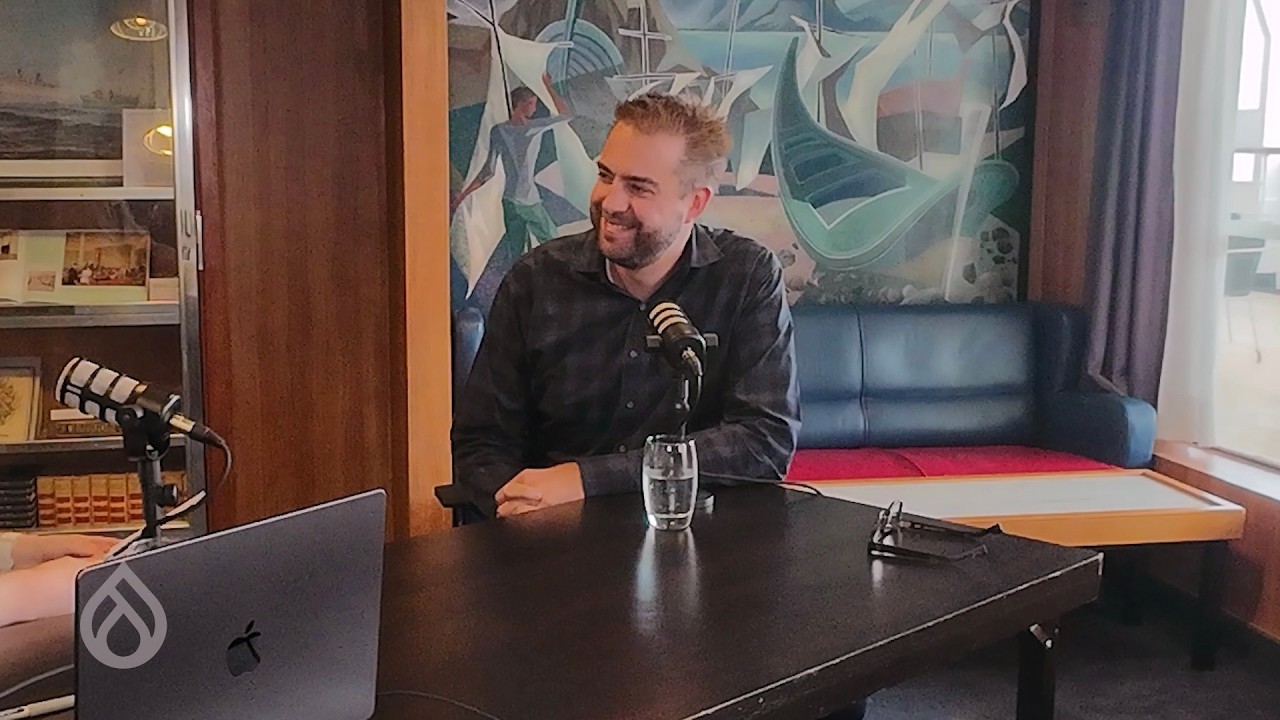
read moreIn this episode, we discuss the 'Drupal in a Day' initiative, aimed at introducing computer science students to Drupal and invigorating the community with new energy. Martin Anderson-Clutz and Hilmar Hallbjörnsson talk about its origins, development, and the specifics of condensing a comprehensive university course into a single-day curriculum. They also cover the enthusiasm and logistics behind the events, insights from past sessions in Vienna and Drupal Jam, and future plans for expanding the scope of this program. Tune in to hear the vision for bringing more students into the Drupal community and the benefits for universities and organizations alike.
For show notes visit: https://www.talkingDrupal.com/cafe013
TopicsHilmar Kári Hallbjörnsson is a senior Drupal developer, educator, and open-source advocate based in Iceland. He works as a Senior Drupal Developer at the University of Iceland and is the CEO/CTO of the Drupal consultancy Um að gera. Hilmar is also an adjunct professor at Reykjavík University, where he teaches "Designing open-sourced web software with Drupal and PHP."
Deeply involved in the Drupal ecosystem, Hilmar is an active contributor and community organizer, with a particular focus on Drupal 11, modern configuration management, and the emerging Recipes initiative. He is a co-founder of the Drupal Open University Initiative and Drupal-in-a-Day, and has served on the organizing committee for DrupalCon Europe.
His work bridges real-world engineering, teaching, and community leadership, with a strong interest in both the technical evolution and philosophical direction of Drupal as an open-source platform.
Martin Anderson-ClutzMartin is a highly respected figure in the Drupal community, known for his extensive contributions as a developer, speaker, and advocate for open-source innovation. Based in London, Ontario, Canada, Martin began his career as a graphic designer before transitioning into web development. His journey with Drupal started in late 2005 when he was seeking a robust multilingual CMS solution, leading him to embrace Drupal's capabilities.
Martin holds the distinction of being the world's first Triple Drupal Grand Master, certified across Drupal 7, 8, and 9 as a Developer, Front-End Specialist, and Back-End Specialist. (TheDropTimes) He also possesses certifications in various Acquia products and is UX certified by the Nielsen Norman Group.
Currently serving as a Senior Solutions Engineer at Acquia, Martin has been instrumental in advancing Drupal's ecosystem. He has developed and maintains several contributed modules, including Smart Date and Search Overrides, and has been actively involved in the Drupal Recipes initiative, particularly focusing on event management solutions. His current work on the Event Platform aims to streamline the creation and management of event-based websites within Drupal.
Beyond development, Martin is a prominent speaker and educator, having presented at numerous Drupal events such as DrupalCon Barcelona and EvolveDrupal. He is also a co-host of the "Talking Drupal" podcast, where he leads the "Module of the Week" segment, sharing insights on various Drupal modules. Martin's dedication to the Drupal community is evident through his continuous efforts to mentor, innovate, and promote best practices within the open-source landscape.
GuestsHilmar Hallbjörnsson - drupalviking Martin Anderson-Clutz - mandclu
read moreThe Drupal Community will have a large showing at EU Open Source Week 2026 in Brussels. You are invited to join Drupal Association board members Baddy Sonja Breidert, Tiffany Farriss, Sachiko Muto, Imre Gmelig, Dominique De Cooman and Alex Moreno at the following events throughout the week. Drupal Association CEO Tim Doyle, CTO Tim Lehnen, and Head of Global Programs, Meghan Harrell will also be in attendance.
Happening from 26 January to 1 February, 2026 in Brussels, the global open source community is gearing up for the EU Open Source Week. We are proud to highlight the significant presence of the Drupal project throughout the week.
Here’s where you can find Drupal making an impact:
Play to impact - Drupal AI Hackathon: The event will kick-off online on 22 January 2026 and further will be continued during the EU Open Source Week on 27 and 28 January 2026. During the two-day event, developers, designers and other digital innovators will work side by side to create smarter, faster and more open digital solutions built with Drupal and AI.
Drupal Pivot: A 1.5-day, peer-led un-conference, to be held on 27 and 28 January 2026, for Drupal agency CEOs, founders, and senior executives to collaboratively explore the most pressing strategic questions shaping the future of the Drupal business ecosystem.
Drupal EU Government Day: A unique free one-day event, scheduled for 29 January 2026, bringing together policymakers, technologists, and digital leaders from across Europe’s public sector.
EU Open Source Policy Summit: An invite-only one-day event with free online access, hosted by OpenForum Europe (OFE), bringing together leaders from the public and private sectors to focus on digital sovereignty.
The Drupal Association is honoured to support the EU Open Source Policy Summit 2026 as a Bronze sponsor.
In addition to our sponsorship, we are pleased to highlight two members of our Board of Directors who will be sharing insights during the program:
FOSDEM: A two-day volunteer-run free event for the global open source community. Held every year at the end of January in Brussels, it is a massive event of contributors to share code, host community-led "devrooms," and collaborate face-to-face without registration fees or corporate barriers.
EU OpenSource Week is going to be an immersive experience for developers, policymakers, and industry leaders to shape the future of open technology offering unparalleled opportunities to:
Explore other events happening during the EU Open Source Week on their official website.
Aidan Foster - Strategy Lead, Foster Interactive
For years, the hardest part of building a website was technical execution. Slow development cycles, code barriers, and long timelines created bottlenecks.
AI has changed this.
Execution is no longer the limiting factor. Understanding is. The new challenge is knowing your audience, clarifying your message, and structuring the story your website needs to tell.
The future is not prompt-first. It is people first. Strategy, insight, empathy, and structure.
This was the core message of my talk AI Page Building with Drupal Canvas. It is also why Foster Interactive joined the Drupal AI Makers initiative.
But none of this works unless the human layer comes first.
AI is a powerful assistant, but it cannot replace human judgment.
Large language models can synthesize patterns, but they cannot invent your strategy.
When teams skip the foundational work such as audience research, messaging clarity, and brand systems, AI produces generic output that feels shallow and off-brand.
This is what we call AI slop. The issue is not the model. The issue is unclear inputs.
AI can only accelerate the parts you already understand. The human layer must come first. Audience insight. Value propositions. Tone and language rules. Page-level content strategy.
Without this structure, every output becomes guesswork.
Drupal’s new AI features are powerful because they finally support how marketers work.
Canvas allows anyone to build pages using drag and drop.
It offers instant previews, mobile and desktop views, simple undo and redo, and AI built directly into the editor.
You can ask Canvas to assemble a campaign landing page and it uses your brand components, design system, content rules, and tone to create useful starting points.
This is the most marketer-friendly Drupal experience ever made.
This is where strategy becomes usable by AI. It allows teams to load audience personas, value propositions, tone guides, brand rules, page templates, messaging frameworks, and content strategy documents.
With this context available, the AI produces work that is aligned, accurate, and consistent.
Instead of guessing, it draws from your organization’s strategic foundation.
For the first time, brand and audience knowledge can be reused across the entire website.
The Demo: How We Built FinDrop Landing Page Demo
To demonstrate what is possible, we built a fictional SaaS company called FinDrop.
We created product stories, value props, audience personas, PPC ads, content strategy, and a visual system that matched the Mercury design system.
We generated all of this using strategy first, then AI. We crafted brand rules, used Nano Banana for consistent imagery, built campaign assets, and generated full landing pages for three stages of a funnel.
AI gave us speed, but only because the human structure was already in place. Without strategy the output collapsed. With structure it accelerated.
The FinDrop demo made something clear. AI did not save time because it is smart. It saved time because the rules were defined. Your success depends on the strength of your foundations.
Clear value propositions. Real audience insight. A defined tone. Predictable page patterns. Brand rules the AI can follow. Without this, AI slows teams down.
At Foster Interactive we are testing the best models for Drupal workflows, refining content strategy structures for the Context Control Center, creating systems to make AI-ready brands easier to build, and bringing the marketer’s perspective into the AI Makers roadmap.
Our goal is simple. Make AI genuinely useful for small marketing teams without sacrificing accuracy or authenticity.
Drupal CMS 2 is coming in early 2026. It will include deeper Canvas integration, more intuitive site templates, a lighter AI suite, reusable design systems, expanded knowledge base support, and better tools for auditing and maintaining content.
But the biggest change is this. It will become easy to install the tools and it will be obvious who has done the strategic work. Teams relying solely on AI will blend into the noise.
Teams grounded in human insight will stand out.
A few months ago, I did not believe a CMS could generate usable landing pages in minutes or create consistent AI imagery. Then we built FinDrop.
The tools have changed. The pace has changed.
Human insight cannot be outsourced to AI.
We want our AI tools to take care of boring, repetitive jobs to free up our time for creative and strategic work.
The role of marketers is shifting away from production bottlenecks and toward clarity, empathy, positioning, narrative, and audience understanding.
AI can accelerate execution and remove repetitive tasks. But it cannot replace the strategy behind them.
If we get the human foundations right, we create a future where imagination becomes the bottleneck, not time.
That's the future I want to live in.
Start with your foundations. Sit down with your team and audit your brand guidelines. Talk to front-line support and sales - the people closest to your customers. Update your tone, messaging, and audience details. This is the work that makes AI useful.
Then try Canvas. Once your foundations are solid, test what's possible with the upcoming Drupal CMS 2.0 demo at drupalforge.org. (Or if you’re a little more technical, test the Driesnote Demo which is available right now).
Twenty-five years! In the world of technology, hitting a quarter-century milestone while remaining a top-notch powerhouse of the internet is an achievement so rare it's almost unheard of. Today, we're popping the confetti and cutting the cakes around the world to celebrate a colossal journey. This isn't just a birthday for a piece of software; it's a testament to resilience, constant evolution, and the deep-seated belief in doing things the right way. Join us as we look back on 25 years of shared passion, contribution, and the incredible community that has made Drupal so powerful. Happy birthday, Drupal!
Trusted by millions of sites and applications, Drupal has been the secure, flexible backbone for everyone from global governments and prestigious universities to world-renowned NGOs, major media outlets, and countless ambitious startups. Drupal's versatility allowed it to power a wide array of systems far beyond traditional websites, including intranets, booking systems, learning platforms, data hubs, and IoT dashboards.
For a quarter century, Drupal remained true to its technical soul. Its strength remains in structured content, best-in-class workflow features—including moderation, granular permissions, and multilingual support—and delivery to various displays via reusable content and APIs. Under the hood, proven performance, precise caching, and a mature security process ensure scalability. Its core strengths of extendability, customizability, and openness solidify its status as a uniquely flexible and sovereign digital platform.
Not only technically capable itself, Drupal's design and culture inherently promoted sharing and reuse. This encouraged people to build widely capable and powerful general components, and contribute them back, a mindset that fueled the growth of over 50,000 modules.
But beyond the millions of sites, the technical power, and the tens of thousands of modules, Drupal's true magic lies in the people. It's a platform that created careers. For many, Drupal was the first step into the world of content management. For tens of thousands more, it blossomed into a fulfilling career. Developers, architects, designers, editors, trainers, marketers, agency founders—a full spectrum of digital careers have flourished around Drupal.
Drupal's influence stretches far beyond the codebase and business, it is also a world-class social network. It sparked friendships, and yes, even led to a few real life Drupal families. People who would otherwise never have met have become lifelong friends. We have learned together, collaborated on projects, and passionately argued over UIs, policies and APIs, but with the goal of emerging with a stronger connection. This vibrant, global community is the true essence of Drupal: a place where even disagreement comes from a shared passion, and where professional collaboration blossoms into genuine human friendship.
Without the community, Drupal wouldn't be here today. So raise a glass for yourselves! The thinkers, designers, marketers, organizers, testers, developers, maintainers, managers, documenters, trainers, reviewers, bugfixers, funders, accessibility professionals, translators, authors, photographers, videographers and countless others who made Drupal what it is.
Drupal is here today not because it chased trends. But because people cared and they did the right thing. Happy birthday, Drupal!
Thanks to Gábor Hojtsy, Frederick Wouters, Surabhi Gokte, Nick Vanpraet and Joris Vercammen for their contributions to this post.
Twenty-five years! In the world of technology, hitting a quarter-century milestone while remaining a top-notch powerhouse of the internet is an achievement so rare it's almost unheard of. Today, we're popping the confetti and cutting the cakes around the world to celebrate a colossal journey. This isn't just a birthday for a piece of software; it's a testament to resilience, constant evolution, and the deep-seated belief in doing things the right way. Join us as we look back on 25 years of shared passion, contribution, and the incredible community that has made Drupal so powerful. Happy birthday, Drupal!
Trusted by millions of sites and applications, Drupal has been the secure, flexible backbone for everyone from global governments and prestigious universities to world-renowned NGOs, major media outlets, and countless ambitious startups. Drupal's versatility allowed it to power a wide array of systems far beyond traditional websites, including intranets, booking systems, learning platforms, data hubs, and IoT dashboards.
For a quarter century, Drupal remained true to its technical soul. Its strength remains in structured content, best-in-class workflow features—including moderation, granular permissions, and multilingual support—and delivery to various displays via reusable content and APIs. Under the hood, proven performance, precise caching, and a mature security process ensure scalability. Its core strengths of extendability, customizability, and openness solidify its status as a uniquely flexible and sovereign digital platform.
Not only technically capable itself, Drupal's design and culture inherently promoted sharing and reuse. This encouraged people to build widely capable and powerful general components, and contribute them back, a mindset that fueled the growth of over 50,000 modules.
But beyond the millions of sites, the technical power, and the tens of thousands of modules, Drupal's true magic lies in the people. It's a platform that created careers. For many, Drupal was the first step into the world of content management. For tens of thousands more, it blossomed into a fulfilling career. Developers, architects, designers, editors, trainers, marketers, agency founders—a full spectrum of digital careers have flourished around Drupal.
Drupal's influence stretches far beyond the codebase and business, it is also a world-class social network. It sparked friendships, and yes, even led to a few real life Drupal families. People who would otherwise never have met have become lifelong friends. We have learned together, collaborated on projects, and passionately argued over UIs, policies and APIs, but with the goal of emerging with a stronger connection. This vibrant, global community is the true essence of Drupal: a place where even disagreement comes from a shared passion, and where professional collaboration blossoms into genuine human friendship.
Without the community, Drupal wouldn't be here today. So raise a glass for yourselves! The thinkers, designers, marketers, organizers, testers, developers, maintainers, managers, documenters, trainers, reviewers, bugfixers, funders, accessibility professionals, translators, authors, photographers, videographers and countless others who made Drupal what it is.
Drupal is here today not because it chased trends. But because people cared and they did the right thing. Happy birthday, Drupal!
Thanks to Gábor Hojtsy, Frederick Wouters, Surabhi Gokte, Nick Vanpraet and Joris Vercammen for their contributions to this post.